Print Custom Labels Directly From Lightspeed Retail
Print good looking labels, and eliminate manual printing hassles. Make your labels stand out!
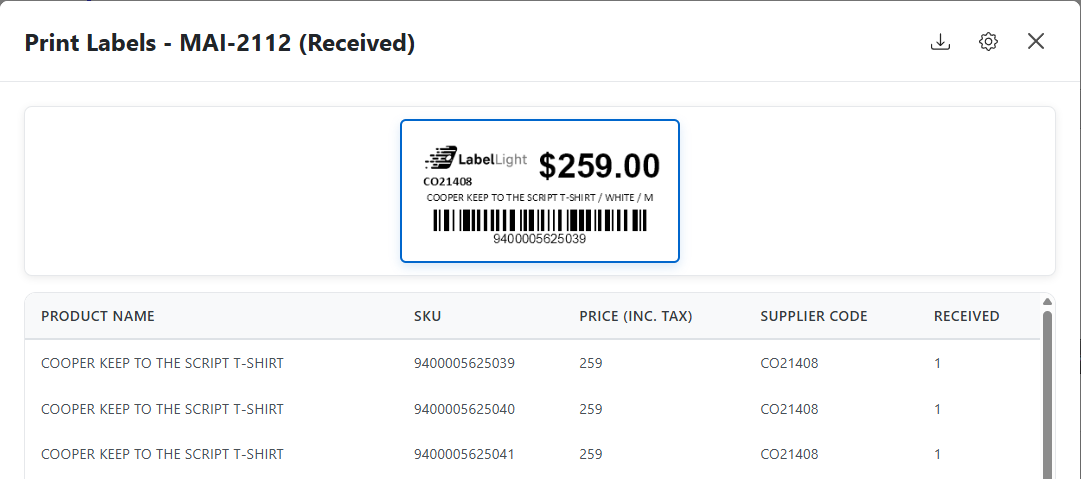
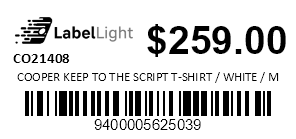
Print good looking labels, and eliminate manual printing hassles. Make your labels stand out!
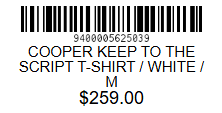
Lightspeed Retail does not support printing with DYMO templates out of the box - meaning less control over how your labels look and feel.

The LabelLight browser extension integrates directly with Lightspeed Retail, allowing you to print DYMO labels without any hassle.
Your labels will represent your brand, just as you envision it.
Install the extension from the Chrome Web Store to integrate with Lightspeed.
Make sure your DYMO LabelWriter printer is connected and the DYMO Label Software is installed.
Navigate to any product or consignment in Lightspeed and click the new "Print Label" button.
The extension works with all DYMO LabelWriter models, including the LabelWriter 450, 450 Turbo, 4XL, and wireless models. As long as the DYMO Label Software is installed on your computer, you're all set.
Yes! The extension works with all Lightspeed Retail accounts (formerly Vend). It integrates directly with your existing Lightspeed setup—no additional configuration required.
Yes! We offer a 30-day free trial (credit card required). Try the extension risk-free.
Your subscription includes unlimited label printing, all future updates and features, priority email support, and access to our complete label template library.
Open the LabelLight page on the Chrome Web Store, click "Add to Chrome", and you're ready to go. The entire process takes less than 2 minutes. See our Getting Started guide for detailed instructions.
We provide priority email support for all subscribers. Most questions are answered within 24 hours. We also have comprehensive documentation with setup guides and troubleshooting tips.
Join retailers who have elevated their labels with our Lightspeed integration.
30-day free trial • Cancel anytime